
How to Access your Invoices and Receipts
The following instructions will guide you through the process of obtaining your receipts and invoices in your account.
After your purchase, the invoice/receipt is emailed to the email address on your account profile. You can also download the invoice/receipt from the Manage Billing page on your CertPanel dashboard.
How to view your Invoices/Receipts
1. Go to CertPanel Dashboard
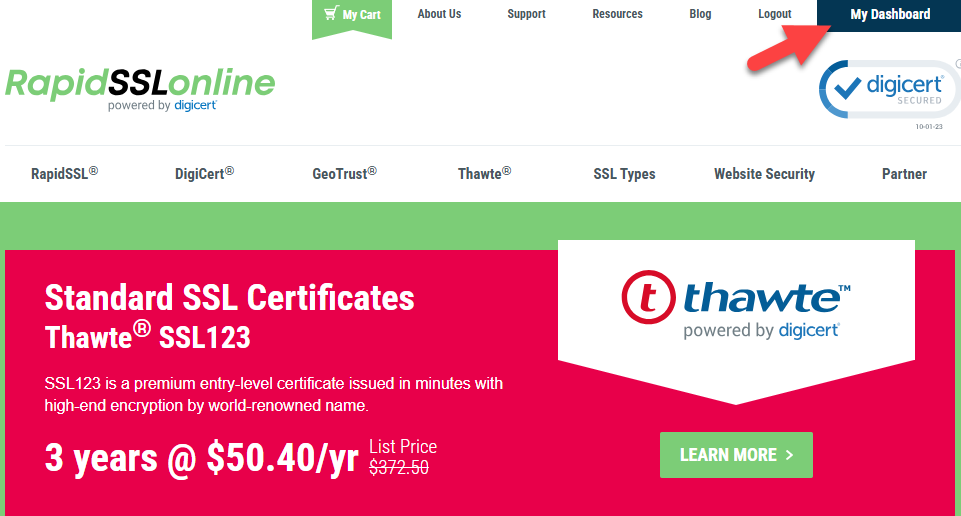
First, login to your RapidSSLOnline account. If you're not already on the CertPanel dashboard, click My Dashboard at the top right of the screen.
2. Go to Manage Billing
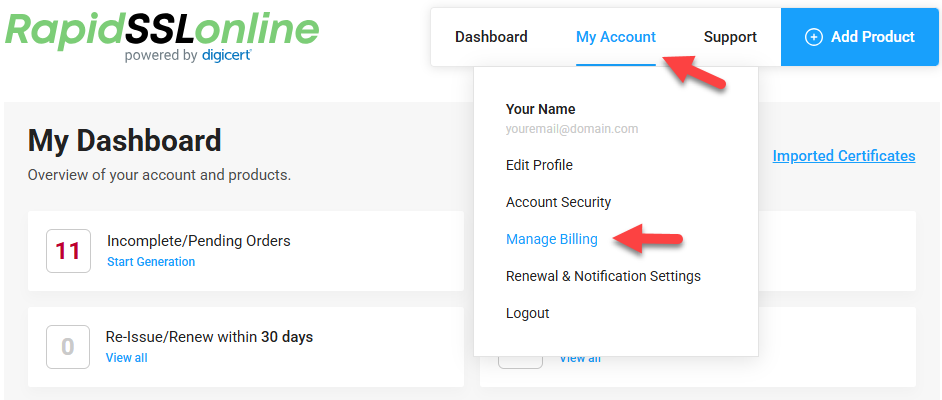
Hover your cursor over My Account at the top-right, then click Manage Billing from the menu.
3. Locate the order in Billing History
Scroll down to Recent Billing History for a list of recently purchased orders. If you're looking for an older order, click View Full Billing History. You will need the Transaction ID, which can be found in your purchase confirmation email or the Manage Order page.
Click the Receipt button to view the invoice/receipt.

4. Download invoice/receipt
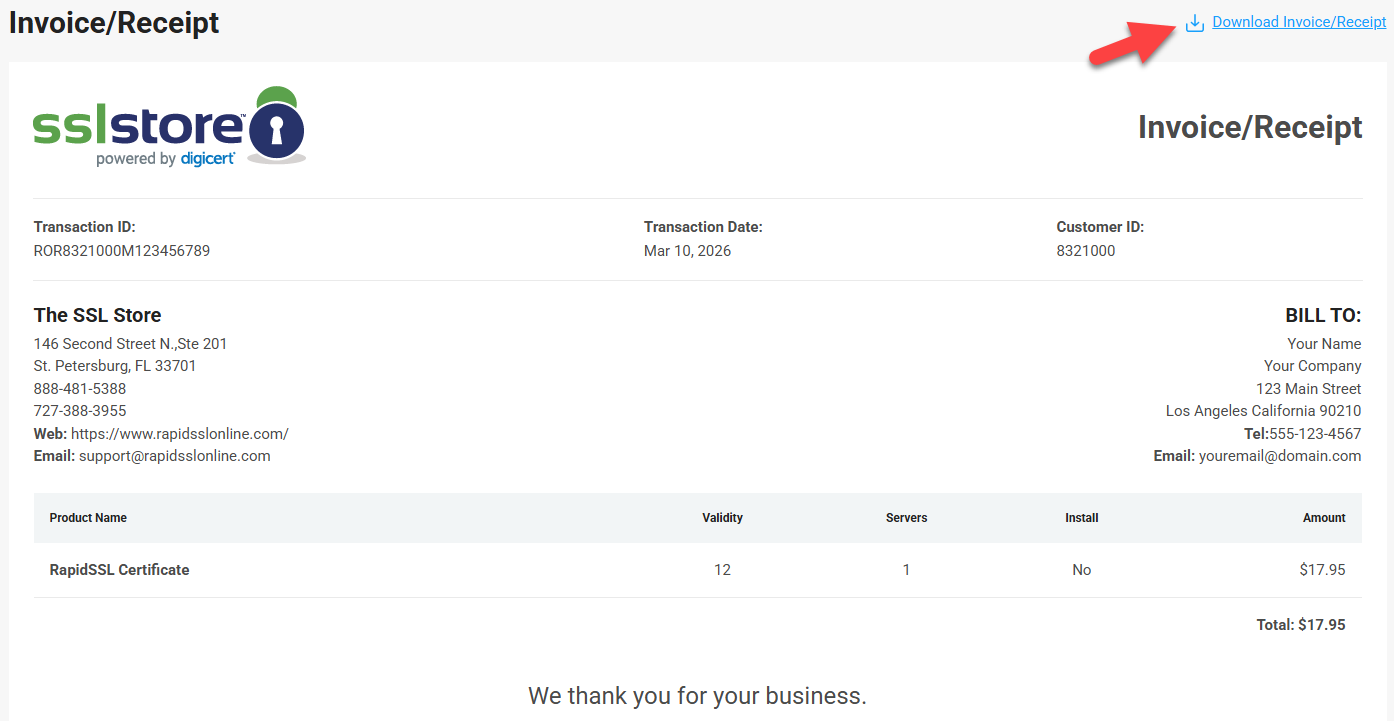
Click the Download Invoice/Receipt button to save the document to your files.
Change Invoice/Receipt Billing Details
The invoice/receipt Bill To details reflects the information currently saved to your account profile.
If any changes should be made to the Bill To details, please change those details on the Edit Profile page and download the invoice/receipt again.
Certificate Domain Details
The invoice/receipt will not reflect any certificate details. The certificate details are not provided at time of purchase and will not update on the invoice/receipt after enrollment.